
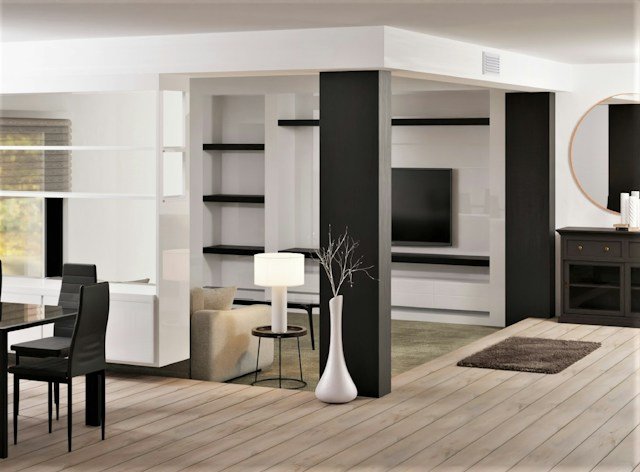
You do not need a spare room, a matching desk set or a perfect photo. You need a spot that makes starting work easy and stopping work possible.
Search for home office set up ideas and you will find a lot of beautiful rooms. White desks floating in pale light, a single plant, a laptop on a spotless surface and not a cable in sight. They look wonderful and have almost nothing to do with how most of us work. Most of us are working from a corner of the bedroom, a section of the dining table or a desk squeezed beside the sofa, with a charger that never reaches and a window in the wrong place.
The good news is that a good workspace has far less to do with room and money than with a handful of decisions. Where the desk sits relative to the light. Which things are within arm’s reach. What the camera sees behind you. Where the cables go. How quickly you can set everything up in the morning, and how easily you can tuck it away at the end of the day. Get those decisions roughly right and almost any corner can become a place where work happens comfortably.
This guide is written for real homes. It starts with the kind of work you do, since that shapes everything else, then looks at four common types of corner, how to arrange a desk by reach, what to think about for light, sound and power, how to look good on video calls without building a studio, how to tame cables and clutter and how to make the space feel like somewhere you want to be. It also covers small-space tricks for hiding the whole office when the day is done.
Start with the work, not the furniture
The most common mistake in setting up a home office is beginning with the desk. People browse furniture, pick something that looks right and then try to fit their work around it. A better order is to think about what you actually do for most of the day, and then shape the space to suit it. Different kinds of work ask for very different things.
Call-heavy work
Lots of video or phone meetings. You need a quiet spot, a presentable background, good light on your face and a way to keep household noise out.
Deep screen work
Long stretches of writing, analysis or coding. You need uninterrupted space, a comfortable setup and as few visual distractions as possible.
Mixed and hands-on
Paper, notebooks, samples, sketching or equipment. You need a wider surface and storage you can reach, plus room to spread out and pack away.
Most people are a blend, but one type usually dominates. If you spend half the week on calls, a well-lit, quiet, tidy background is worth more than a large desk. If you work for hours at a screen, the position of the monitor and the quiet around you matter more than decor. If you work with paper and materials, surface area and storage come first. Deciding which type you are saves you from solving problems you do not have.
Find your corner
Almost every home has a spot that can become a workspace. It is a question of choosing the right one. Here are four common options, along with an honest look at what each asks of you. The bars are a rough guide to space needed, how quiet the spot tends to be and how much effort it takes to set up and clear away.
The window corner
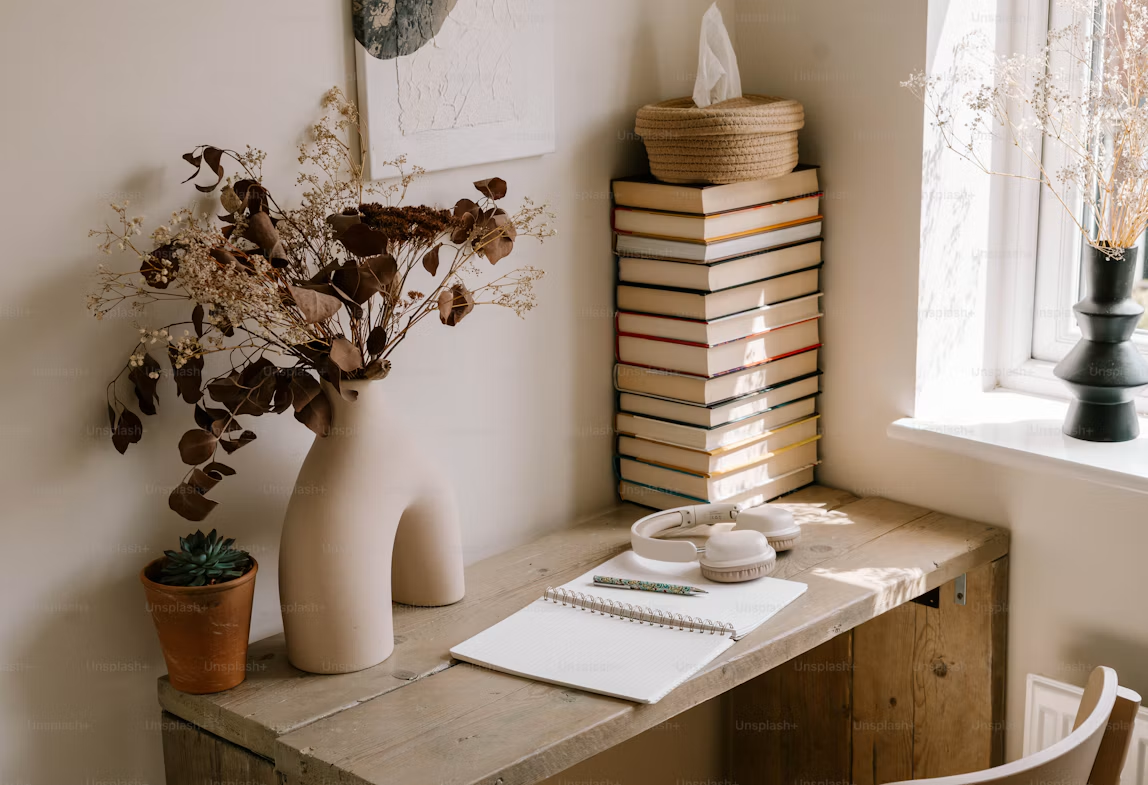
A small desk beside a window in a bedroom or living room. It gives good daylight and a view, but it can be exposed to noise and glare, and it asks for some thought about where the sun falls.
The closet office
A shallow closet emptied of clothes and fitted with a shelf desk. It is quiet and easy to hide with a door, but it needs a lamp, a good chair and attention to airflow so it does not feel stuffy.
The shelf wall
A desk placed in front of a bookcase or built-in shelving, which gives you storage at arm’s reach and a naturally interesting call background. It looks good but needs tidiness to stay that way.
The fold-away desk
A wall-mounted drop-leaf desk or a slim console that doubles as a work surface. It takes almost no floor space and disappears after work, though it asks you to set up and pack away each day.
Whichever you choose, stand in the spot for a few minutes before committing. Face the direction you would sit. Notice where the light comes from, what is behind you and what you can hear. Imagine yourself there at three in the afternoon on a busy day. A corner that looks great in an empty room can feel very different when you are actually using it.
If you share your home with others, think about how your choice affects them, too. A desk in the middle of the living room might be fine for you but awkward for everyone else. Our post on working from home with a partner or roommate goes deeper on that side of things.
Arrange the desk by reach
Once you have a spot, the next task is arranging what goes on the desk. A useful way to think about it is in terms of reach. Some things you use constantly, some occasionally and some rarely. The things you use constantly should be closest, and everything else should be pushed back to make room.
Darker rings are closer to you. Keep daily tools in the inner ring and decoration at the edges.
In practice, the inner ring holds your keyboard, mouse, notebook and whatever you are actively working on. The middle ring holds your phone, a drink, a pen pot and the things you reach for a few times an hour. The outer ring holds the lamp, a plant, perhaps a small framed photo and anything you only touch occasionally. If something in the inner ring has not been touched all week, move it. If something you use constantly is in the outer ring, bring it in.
This simple pattern prevents the common desk problem of a surface that is entirely covered with a bit of everything. When the inner ring is clear, the desk feels open even if it is small, and you can begin work without clearing space first.
Screen height and comfort
Small adjustments to the height and distance of your screen and seat can make a long day feel easier. A laptop riser with a separate keyboard, a cushion or a footrest can all help. These are comfort choices based on how you feel, not medical guidance. If you experience persistent discomfort, it is worth speaking to a qualified professional who can assess your own situation.
Light, sound and power
Three invisible factors decide whether a workspace feels good: how it is lit, how it sounds and how you keep your devices running. They are easy to overlook, and they are often the reason a perfectly nice setup does not work.
Light
- Place the desk so daylight comes from the side, not directly behind the screen or in front of you.
- Add a desk lamp for evenings and dull days, ideally with a warm, even tone.
- Soften glare with sheer curtains or a blind that you can adjust.
- Face a window for calls where you can, since it lights your face naturally.
Sound
- Choose the quietest spot you can, away from the kitchen and shared rooms.
- Use rugs, curtains and soft furnishings to absorb echo.
- Keep a pair of headphones within reach for calls and for blocking noise.
- Agree on quiet times with the people you live with.
Power
- Place the desk near an outlet so cables do not trail across the floor.
- Use a power strip with a switch, mounted out of sight, to keep chargers in one place.
- Keep a spare charger at the desk so you are not hunting for one.
- Leave a little slack in cables so nothing gets pulled or bent sharply.
If you can only fix one of these, start with light. A well-lit workspace feels more inviting, helps you see what you are doing and makes your face look better on camera. It is also the easiest of the three to improve, since a single lamp placed well can change the whole feel of a corner.
What the camera sees
If you take video calls, the area behind and around you becomes part of your professional presence. You do not need a studio or a styled bookshelf, but a few simple choices make a real difference. The aim is for the background to be calm, tidy and a little interesting, without drawing attention away from you.
A simple composition: light from the side, a calm wall, one or two objects and you near the top third of the frame.
The simplest improvements are also the most effective. Move your chair so that the light falls on your face rather than behind you. Raise your camera to roughly eye level, so you are not looking down at the lens. Take a quick look at what is visible over your shoulder and remove anything distracting, such as laundry, an open door to a messy room or a bright poster. A plain wall with one plant, a piece of art or a neat shelf is plenty.
If you have no good background, a small folding screen, a bookcase turned toward the camera or even a hung piece of fabric can create a calm backdrop. A virtual background is a last resort, and an uncluttered real one usually looks better.
Cables, clutter and the two-minute start
Cable chaos is one of the biggest reasons a workspace feels unfinished. A few simple steps tame it. Gather the cables that run to the same place and bundle them with a clip, a tie or a short sleeve. Fix a small strip along the back edge of the desk to hold the power strip and chargers off the floor. Label the plugs if you have many, so you can tell at a glance which one is which.
Beyond cables, think about the start of the day. A good setup should let you begin work within about two minutes of sitting down. That means the laptop is where you left it, the charger is plugged in, the lamp is within reach, the notebook is open to a clean page and the previous day’s clutter has already been cleared. The most successful home offices are the ones with the least friction at the start.
That friction is easiest to remove at the end of the day. A short closing routine, in which you clear the surface, write down tomorrow’s first task and put away anything that does not belong, prepares the space for the morning. If you want help building that habit, our post on a work shutdown routine covers it in detail.
The ten-minute weekly reset
- Clear the desk completely and wipe it down.
- Put back only what you used this week.
- Check cables, chargers and the power strip for tangles.
- Empty the paper pile and file or recycle what you can.
- Refresh one small thing: a plant, a photo or a candle.
Make it a place you want to be in
A functional desk is not the same as a pleasant one. Small touches help a workspace feel like part of your home instead of a corner of obligation. They do not have to cost much, and they do not have to match a theme.
One plant, especially a hardy one, adds life and color to a corner. A framed photo or print you like gives your eye somewhere to rest. A candle or a small diffuser, if you like them, can mark the start of work. A good mug and a coaster make a cup of tea feel like a ritual. And a throw or cushion on the chair, if the seat is hard, adds comfort and warmth. If you want ideas for low-effort greenery, our guide to low-maintenance houseplants has several good options for a desk.
Keep it to a few items. A workspace crowded with decor stops being calming and starts being another source of mess. The aim is a space with a little personality and a lot of room to work.
Hiding the office when the day is done
In a small home, the hardest part of working from home can be that the office never leaves. The laptop is on the dining table, the notes are on the sofa, and the work is always in sight. That is not only an aesthetic problem. A visible workspace makes it harder to switch off.
If you can, choose a setup that closes down. A fold-away desk, a cabinet or armoire with a built-in surface, a closet with a door or even a large storage basket that holds the laptop and papers can make the office disappear. A simple screen or curtain across a corner also works. The point is to give the home a way to return to being a home.
Even without any special furniture, a closing ritual helps. Put the laptop in a drawer or bag, cover the desk with a cloth or tray, or turn the chair to face the room. These small acts tell your mind that work is over for the day, and they make the evening feel different from the afternoon.
Diagnose your setup by how it feels
If your setup is not working but you cannot say why, try noticing how it feels and use this simple guide to find the likely cause.
| If you notice… | Try… |
|---|---|
| You keep squinting or tilting your head | Moving the desk so light comes from the side, adding a lamp or adjusting the screen angle. |
| Starting work feels like a chore | Clearing the surface at the end of each day and writing down tomorrow’s first task. |
| You feel distracted by the room | Facing a blank wall or window, using a screen or tidying what is in your field of view. |
| Calls feel awkward | Raising the camera, improving your face light and clearing the background. |
| You cannot switch off at night | Choosing a setup you can hide, and adding a short closing ritual. |
| The space feels dull | Adding one plant, one photo and one nice mug, and nothing more. |
What this adds up to
A good home office does not need to be a room, and it does not need to be perfect. It needs to suit the kind of work you do, sit in a corner with decent light and a little quiet, keep the daily tools within easy reach, look calm on camera, keep the cables under control and let you close the day when the work is done. If it does those things, it is doing its job.
You can make most of these changes in an afternoon with what you already have. Try one or two this week: move the desk toward the window, clear the inner ring of the desk, add a lamp or tidy the cables. Then notice how it feels to sit down on Monday. The best setup is the one you barely have to think about, because it just lets you start.
Frequently asked questions
What are the best home office set up ideas for a small space?
Use a window corner, a closet office, a shelf wall or a fold-away desk. Choose the one that suits your work, and keep only daily tools within reach so the space feels open.
How do I set up a home office in a bedroom?
Place the desk away from the bed if you can, use a screen or shelf to separate it visually and choose a setup you can pack away. A closing ritual helps keep the bedroom feeling like a place to rest.
Where should I put my desk in relation to the window?
Side-on is usually best, since it gives daylight without glare on the screen or in your eyes. If you take video calls, facing the window lights your face evenly.
How can I look better on video calls?
Raise the camera to eye level, light your face from the front or side, clear the background and keep it simple with a plain wall or neat shelf. A small plant or piece of art is plenty.
How do I stop cables from looking messy?
Bundle cables that run together, fix a power strip to the back or underside of the desk and label plugs. A little slack and a few clips make a visible difference.
Do I need a dedicated room to work from home?
No. Many people work well from a corner, a closet or a fold-away desk. What matters more is light, quiet, reach and the ability to start and stop work easily.
How can I make my home office feel less like work?
Add a few personal touches, such as a plant or photo, and choose a setup that can be hidden or covered at the end of the day.

Written by Rayhan Kobir Rayhan writes practical, calm guides about home, routines and everyday living at LifeWise Journal. This article shares general workspace ideas, not ergonomic, medical, electrical or safety advice. Adapt anything here to your own home and needs.